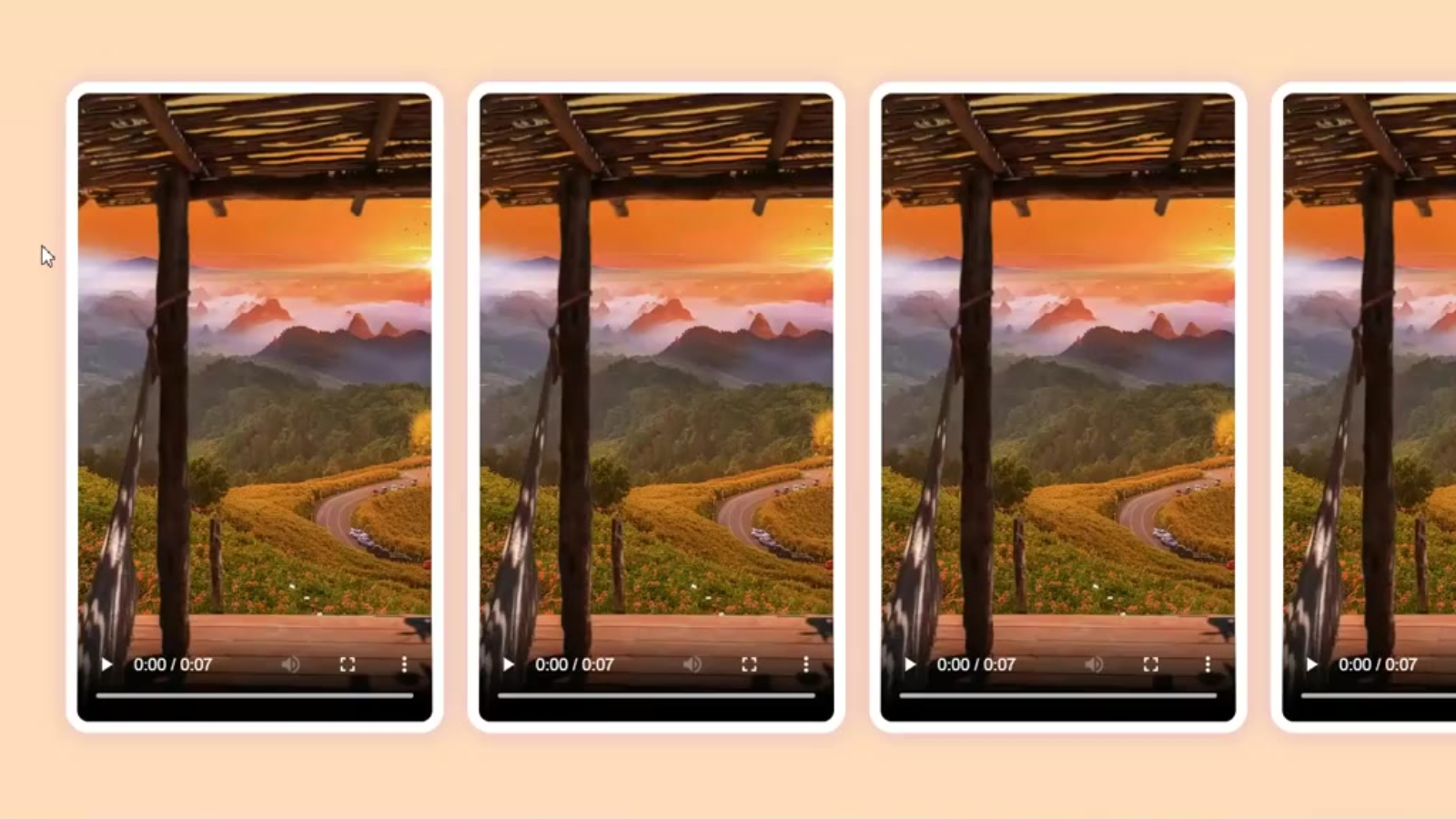
Videoscroll section for video reviews in html css JS these section can help you to interact with users
Videoscroll section for video reviews in html css js
HTML:-
<!DOCTYPE html>
<html lang="en">
<head>
    <meta charset="UTF-8">
    <meta name="viewport" content="width=device-width, initial-scale=1.0">
    <title>Horizontal Scroll Videos</title>
    <link href="https://fonts.googleapis.com/css2?family=DM+Sans:wght@400;500;700&display=swap" rel="stylesheet">
    <link rel="stylesheet" href="styles.css">
</head>
<body>
    <div class="video-container">
        <div class="video-card">
            <video src="./video.mp4" controls></video>
            <div class="info-card">
                <p>Info about the video.</p>
                <div class="flex">
                    <img class="image" src="profile.png">
                    <div class="flex-card">
                        <span>Ganesh</span>
                        <p>CEO</p>
                    </div>
                </div>
            </div>
        </div>
        <div class="video-card">
            <video src="./video.mp4" controls></video>
            <div class="info-card">
                <p>Info about the video.</p>
                <div class="flex">
                    <img class="image" src="profile.png">
                    <div class="flex-card">
                        <span>Ganesh</span>
                        <p>CEO</p>
                    </div>
                </div>
            </div>
        </div>
    </div>
    <script src="script.js"></script>
</body>
</html>
CSS:-
body {
    font-family: 'DM Sans', sans-serif;
    margin: 0;
    height: 100vh;
    width: 100%;
    overflow: hidden;
    background: peachpuff;
    display: flex;
    justify-content: start;
    align-items: center;
    padding-left: 90px;
}

.video-container {
    display: flex;
    gap: 20px;
    padding: 10px;
}

.video-card {
    position: relative;
    flex: 0 0 auto;
    width: 300px;
    height: 530px;
    display: flex;
    border: 10px solid #fff;
    background-color: #F5F6F9;
    border-radius: 20px;
    box-shadow: rgba(100, 36, 251, 0.2) 0px 1px 20px 0px;
    transition: width .5s cubic-bezier(.16, 1, .3, 1);
}

video {
    width: 300px;
    height: 100%;
    border-radius: 10px;
    cursor: pointer;
}

.info-card {
    color: #000000;
    padding: 10px;
    border-radius: 10px;
    display: none;
    white-space: normal;
    transform: translateX(-100%);
    transition: transform .5s cubic-bezier(.16, 1, .3, 1), opacity .5s cubic-bezier(.16, 1, .3, 1);
}

.mystyle {
    display: flex !important;
    flex-direction: column;
    justify-content: space-between;
    transform: translateX(0);
}

.image {
    width: 45px;
    height: 45px;
    border-radius: 50%;
    background-color: #fff;
}

.flex {
    display: flex;
    justify-content: start;
    align-items: center;
}

.flex-card {
    display: flex;
    flex-direction: column;
    padding-left: 10px;
    justify-content: center;
}

.flex-card span {
    margin-bottom: 0;
}

.flex-card p {
    margin-top: 0;
    margin-bottom: 0;
}
Javascript:-
const vcards = document.querySelectorAll('.video-card');

vcards.forEach((card) => {
    const infoCard = card.querySelector('.info-card');

    card.addEventListener('mouseover', () => {
        card.style.width = '560px';
        infoCard.classList.add("mystyle");
    });

    card.addEventListener('mouseout', () => {
        card.style.width = '300px';
        infoCard.classList.remove("mystyle");
    });
});
Visit my Portfolio – Ganesh
Read here how to create a actuall form with toast notification